
About this product
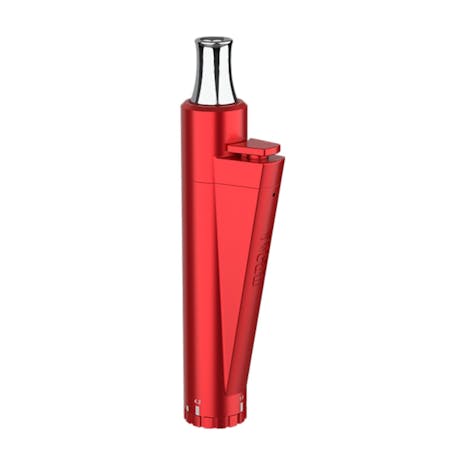
Yocan Lit Twist Vape Pen Red Version comes with adjustable voltage settings allowing you to have more control.
Adjust Voltage
Twist the bottom the Yocan LIT pen to adjust voltage from 1.8V to 4.2V.
Preheat Mode
Clicking the fire button 2 times quickly to activate 10 seconds continuously heating, then turn off. If you want to cancel the preheat mode, just tap the fire button two times again.
These colors indicate the charge or battery life.
White light means full charge, >70% battery.
Blue light means 30%-70% battery.
Red light means need to charge your device, its < 30% battery.
For more information you may refer to the Yocan LIT user manual, or go to Yocan official site.
Adjust Voltage
Twist the bottom the Yocan LIT pen to adjust voltage from 1.8V to 4.2V.
Preheat Mode
Clicking the fire button 2 times quickly to activate 10 seconds continuously heating, then turn off. If you want to cancel the preheat mode, just tap the fire button two times again.
These colors indicate the charge or battery life.
White light means full charge, >70% battery.
Blue light means 30%-70% battery.
Red light means need to charge your device, its < 30% battery.
For more information you may refer to the Yocan LIT user manual, or go to Yocan official site.
Not available right now
We couldn't find any stores carrying Yocan Lit Twist Vape Pen Red Version. Check back soon or explore similar products.
We couldn’t find this item nearby. Check back later or view more products by this brand.
More by this brand


See all Yocan® Official products
About this product
Yocan Lit Twist Vape Pen Red Version comes with adjustable voltage settings allowing you to have more control.
Adjust Voltage
Twist the bottom the Yocan LIT pen to adjust voltage from 1.8V to 4.2V.
Preheat Mode
Clicking the fire button 2 times quickly to activate 10 seconds continuously heating, then turn off. If you want to cancel the preheat mode, just tap the fire button two times again.
These colors indicate the charge or battery life.
White light means full charge, >70% battery.
Blue light means 30%-70% battery.
Red light means need to charge your device, its < 30% battery.
For more information you may refer to the Yocan LIT user manual, or go to Yocan official site.
Adjust Voltage
Twist the bottom the Yocan LIT pen to adjust voltage from 1.8V to 4.2V.
Preheat Mode
Clicking the fire button 2 times quickly to activate 10 seconds continuously heating, then turn off. If you want to cancel the preheat mode, just tap the fire button two times again.
These colors indicate the charge or battery life.
White light means full charge, >70% battery.
Blue light means 30%-70% battery.
Red light means need to charge your device, its < 30% battery.
For more information you may refer to the Yocan LIT user manual, or go to Yocan official site.
No product reviews
Have you tried this product? Be the first to leave a review!
Notice a problem?Report this item